How to Rename Macros
You can rename an installed macro from the Manage Macros dialog.
Open Manage Macros
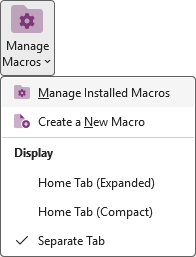
Open OneNote and click the Manage Macros button on the ribbon, then choose Manage Installed Macros from the menu.
Rename a macro
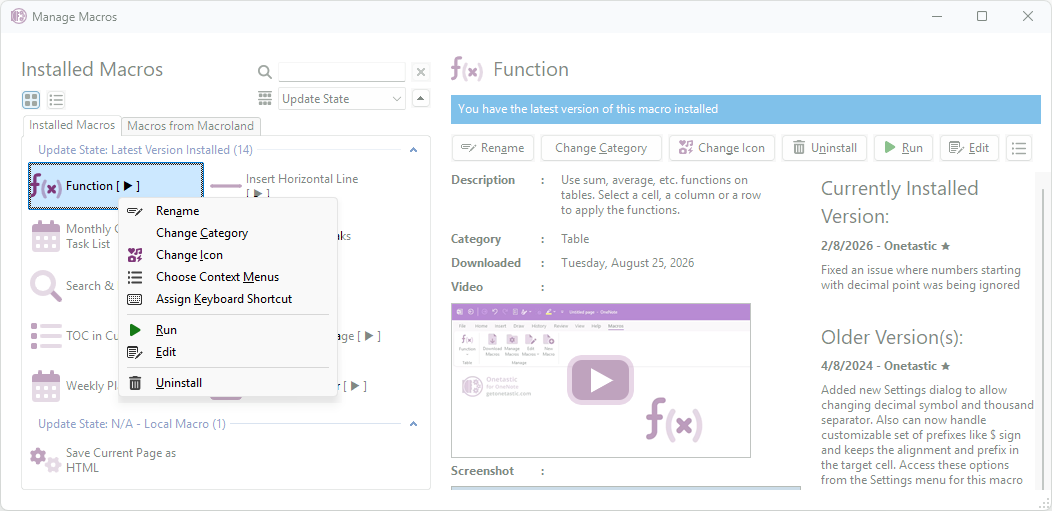
- Right-click the macro you want to rename to open the context menu, or use the toolbar options on the right side of the Manage Macros window.
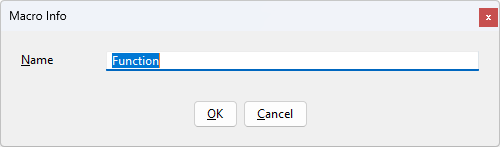
- Choose Rename from the menu. Enter the new name in the dialog and confirm.
- The new name appears in the Manage Macros list and in places that reference the macro name (menus, ribbon, and dialogs).
Notes
- Renaming is immediate and does not affect the macro's functionality.
- If you distribute or share macros by exporting settings, consider whether the name change should be synchronized across machines.
If your question isn't answered, send an e-mail to
support@getonetastic.com.