Custom Macros: Get the Macro You Need, Built for You
October 18, 2026

Every Onetastic user has had the thought: "I wish this macro did just one more thing." Maybe it needs another output format, a different default, or a completely new workflow that no macro covers yet. Until now, getting that done meant learning the macro language yourself and becoming a developer, or sending us an email and hoping we could offer a solution.
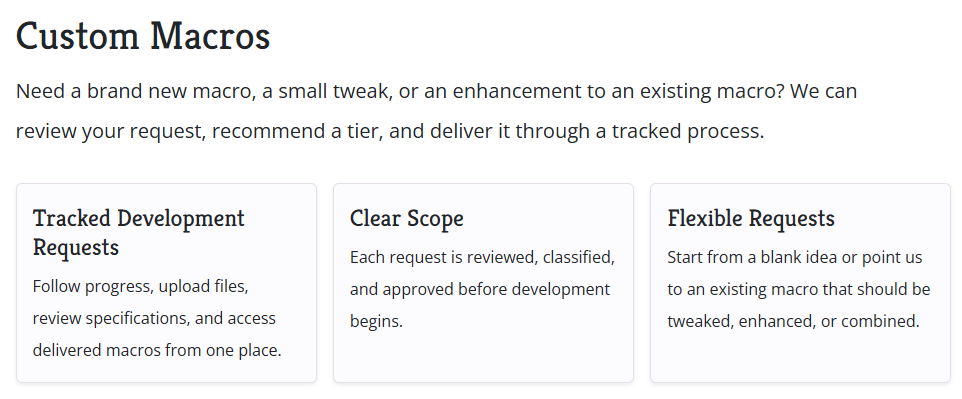
Today we are making that much easier. Onetastic now has a dedicated Custom Macros experience on the website where you can describe what you need, see what it costs, track progress, and get your macro delivered, all in one place.
Choose the Right Level of Help
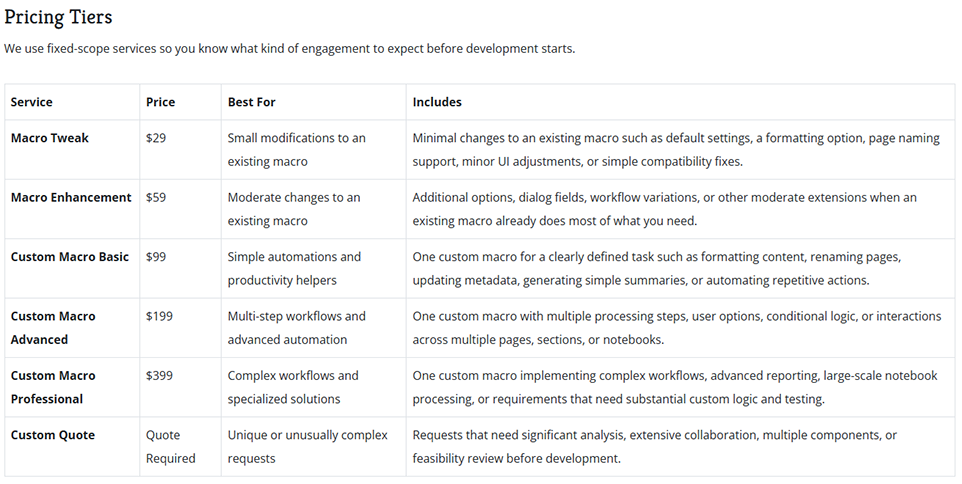
Not every request is the same size, so there are a few service levels to pick from:
- Macro Tweak: A small change to an existing macro, like changing a default setting, adding a formatting option, or supporting one more pattern.
- Macro Enhancement: A bigger change to an existing macro, like adding a new dialog field, a new processing option, or support for more workflow variations.
- Custom Macro (Basic, Advanced, Professional): A brand new macro built from scratch, sized by how involved the work is.
- Custom Quote: Not sure where your idea fits? Submit it anyway and we will review it and give you a quote.
The page lays out what each level includes, along with the process and terms, so you know exactly what to expect before you submit anything.
Found a Macro That Is Almost Right?
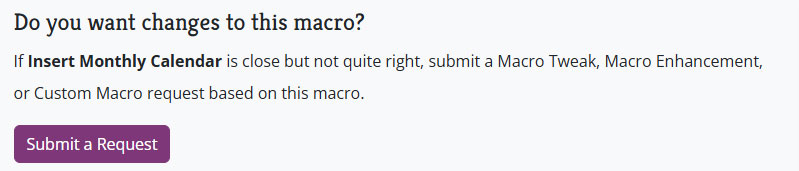
If you are browsing Macroland and find a macro that is close to what you need, you can now ask for changes to that exact macro. Just click the request button on the macro page. The form opens with the macro already selected, so there is no need to explain which macro you mean or how it works today. Just tell us what you would like to be different.
You will also see a Custom Macro option when a Macroland search comes up empty. If the macro you are looking for does not exist, that is a good moment to ask for it.
Tell Us What You Need
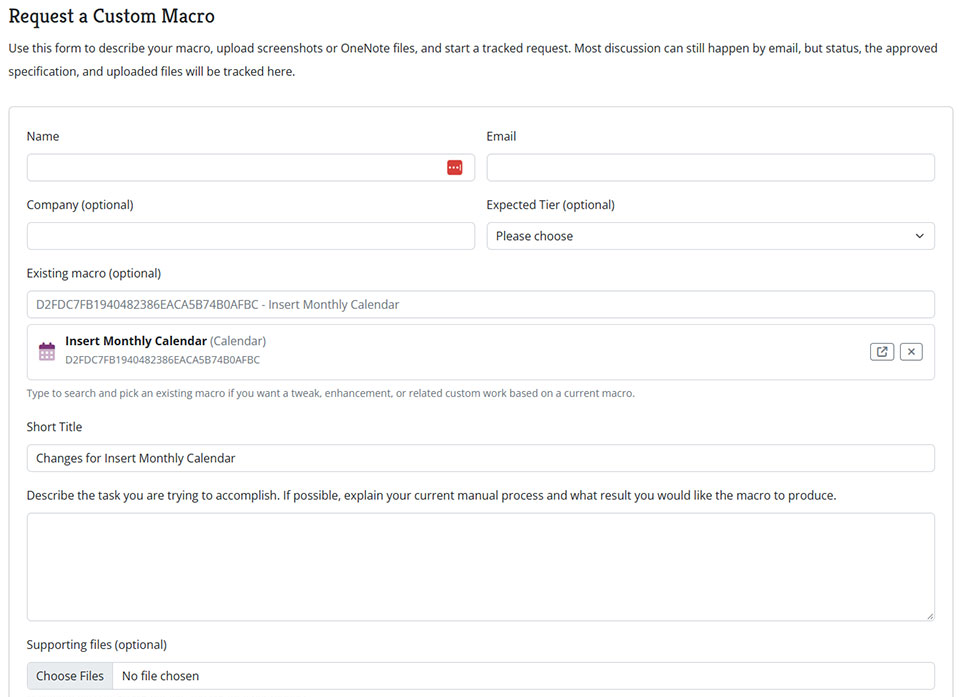
The request form is built to help you give us the right details up front. You can describe the result you want, pick the service level, choose an existing macro to build on, and attach files like screenshots or sample notebooks. The more context we have, the faster we can agree on a clear scope.
Follow Your Request from Start to Finish
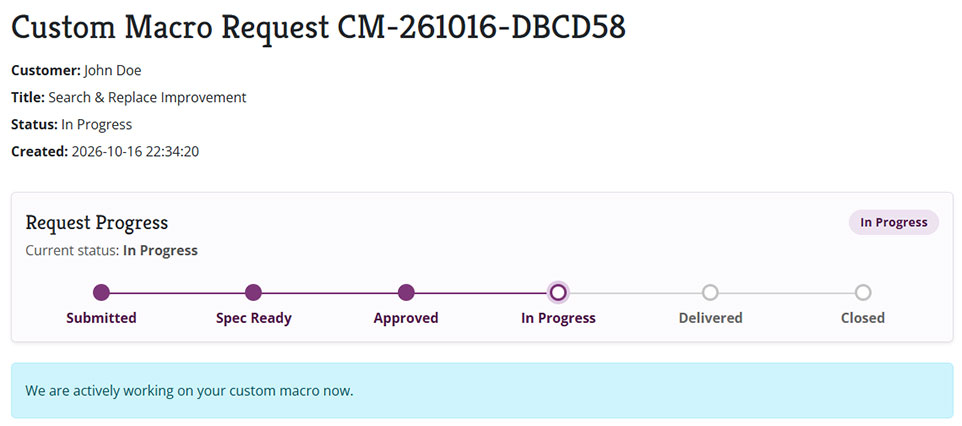
Every request gets its own tracking page. There you can see the current status, read the approved specification, upload more files, and pay when payment is due. When the macro is ready, you can open it right from the same page.
Need Another Change Later?
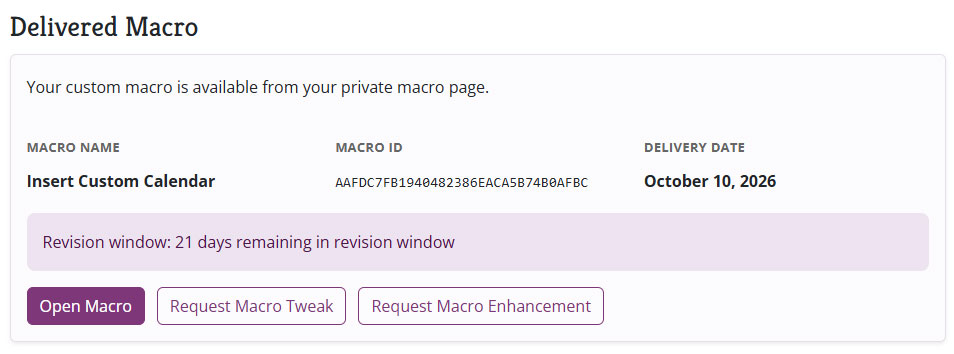
Once your custom macro is delivered, you can come back to the same page and request a Macro Tweak or Macro Enhancement on it. There is no need to start over or explain the history again.
Small Tweaks Are Welcome, and Some May Be Free
If an existing macro needs a small tweak, we encourage you to submit it through Custom Macros. It gives us everything we need in one place, and nothing gets lost in an inbox.
And here is a bonus: when a small change would clearly benefit everyone, we may decide to make it and publish it to the public macro at no charge. That is entirely at our discretion, based on the size of the change and how useful it would be for other users. If a request qualifies, you get your improvement and so does everyone else. Keep in mind that an active Onetastic license is still needed to use the updated macro.
Give It a Try
Head to the Custom Macros page, pick the option that fits, and tell us what you have in mind. If you have been waiting for an existing macro to do just one more thing, a Macro Tweak is a great place to start.
As always, if you have questions or suggestions, reach us out via email.
Comments